


For many Admin & Finance teams, the working day is still full of small manual tasks: updating a field in a customer record, adjusting the reminder strategy for a specific account or routing an invoice to the right person.
Recovr already offered a set of automated actions to save valuable time on this kind of repetitive work. Now we're going further, turning our automated actions into a more complete, more powerful system that adapts to any situation, however your business works.
What you can now do with automated actions
The new version turns this feature into a fully fledged automation system:
- rules can now trigger on every update to a record, so you can react in real time as a customer or an invoice changes;
- you can chain several actions in a single rule to build richer, more flexible workflows than before;
- you can structure or sync your data by copying values from one field to another, or by setting fixed values based on your own business criteria.
Here's how our customers are already using it.
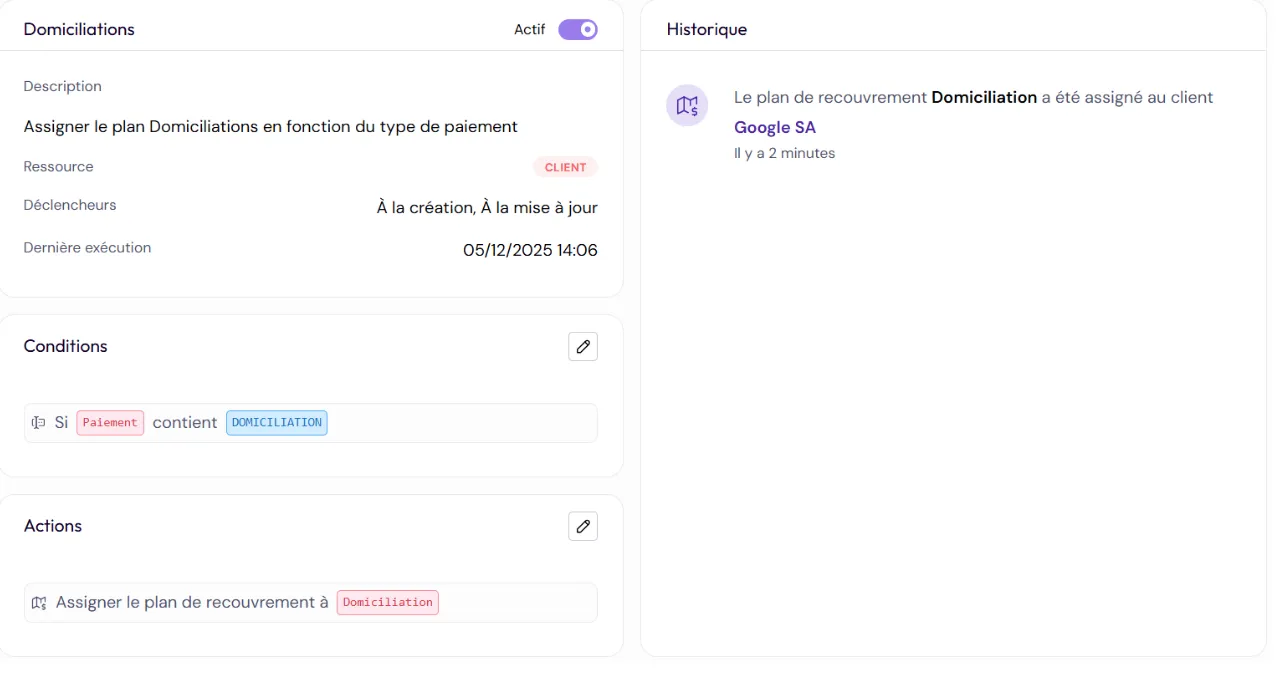
1. Automatically assign a customer or invoice to a reminder workflow
Typical use cases
- Match the reminder sequence to the level of risk: firmer for bad payers, more flexible for strategic customers.
- Apply a specific workflow based on the invoice amount: higher-value invoices often need priority follow-up and more structured reminders (e.g. a dedicated workflow for invoices over €50,000).
- Automatically pick the right reminder strategy based on payment history.
In practice
A finance team can make sure every new invoice gets the right level of attention or the right follow-up strategy, without anyone having to step in.
Example
2. Automatically assign the right account manager
Typical use cases
- Route high-stakes invoices to your senior specialists.
- Assign customers by region, language or industry.
- Balance the workload across the team using objective criteria.
In practice
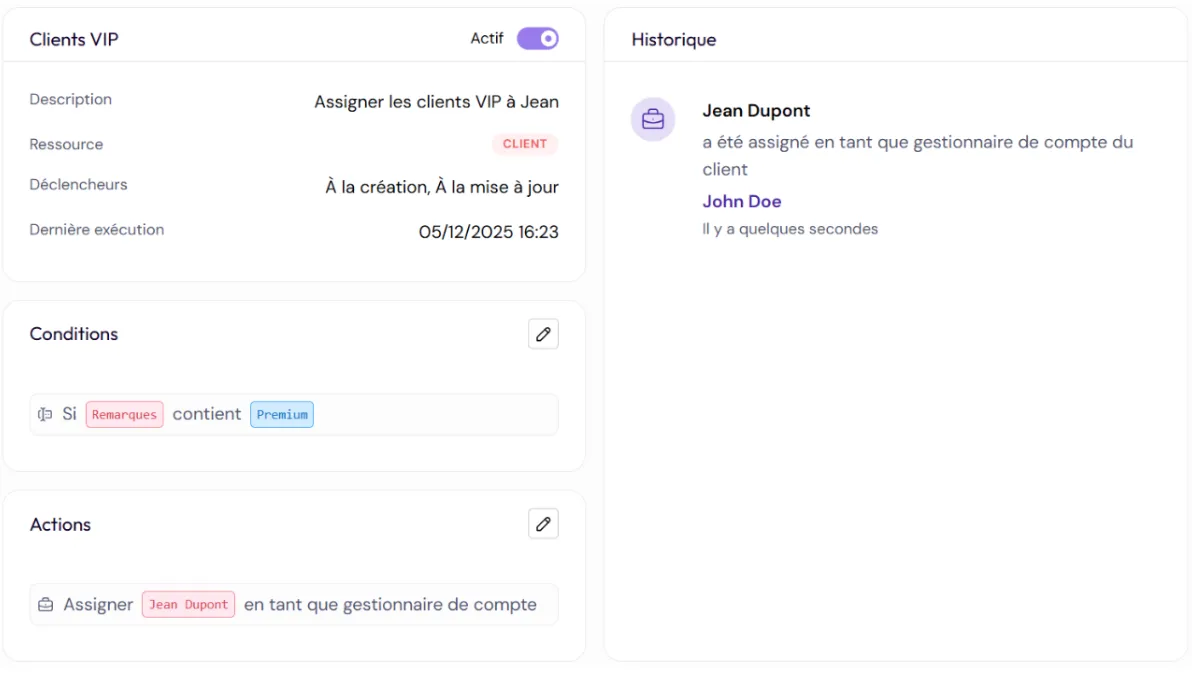
For accounts receivable teams, it's a way to share out the work more effectively and make sure every customer is handled by the right person.
Example
“Automatically assign all invoices from VIP customers to Jean.”
3. Structure your data
What it does
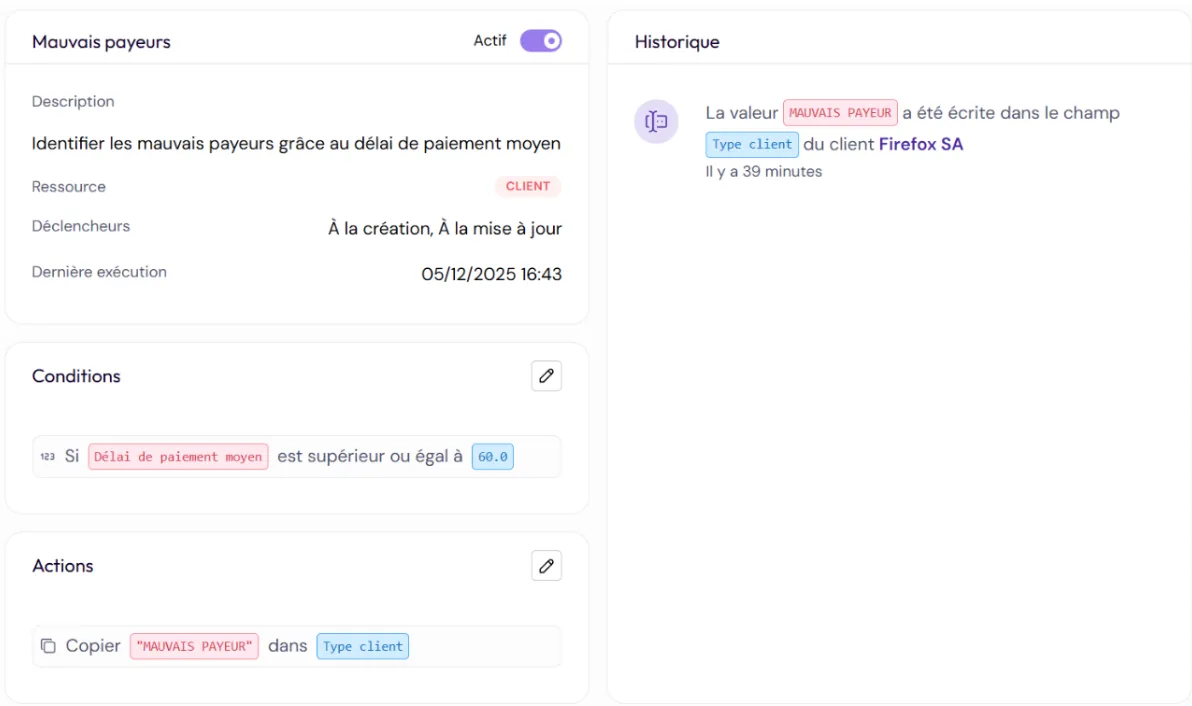
Updates your data automatically: it writes a value into a field, or copies the content of one field into another, so your information stays consistent, clean and accurate.
Typical use cases
- Automatically tag customers based on key criteria (e.g. bad payers, sensitive accounts…).
- Run more detailed analyses with better categorization.
- Build fully customizable reports based on your own custom fields.
In practice
These automations remove repetitive data handling and make your data more reliable, especially when several systems (ERP, accounting, CRM) feed data into Recovr.
Want to learn more?
Don't let manual tasks hold back your growth. Talk to our team to see what automation can do for your day-to-day work.
Ready to take control of your receivables?
Recovr automates your reminders from first to last and leaves you in control of the exceptions.